
Tutor and Trainer annual revision is a mandatory requirement of your licence. Failure to attend an annual revision session may result in your licence being revoked.
You can book a Revision session using this link.
You will need to be logged into your Makation account.
If you need to change a booked revision session, notify tutors@mkaton.org and rebook using the above link.
To help guide you through the process, we’ve created two step-by-step posts on MakaChat:
How to check and book your Revision Session via your account:
? https://community.makaton.org/discussion/how-to-check-book-your-revision-session
Key info and friendly reminder about Revision Sessions (Study Days):
? https://community.makaton.org/discussion/friendly-reminder-revision-sessions-aka-study-days-key-info
Revision Session Booking Step-by-Step
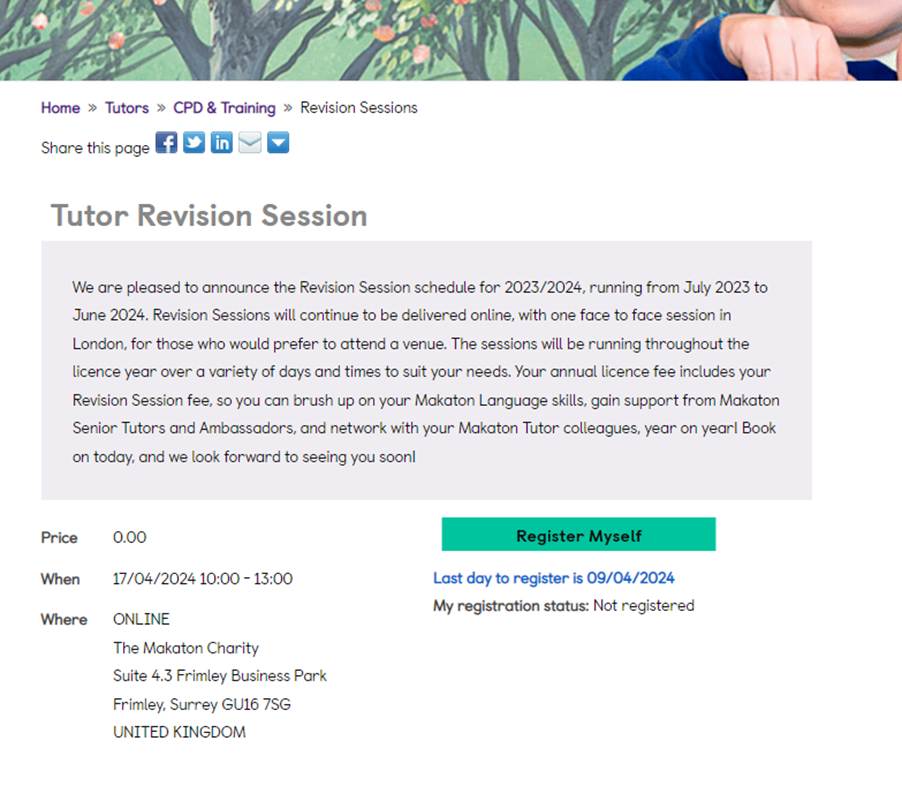
- Select the Revision Session you would like to attend. You will be presented with the details.
- Click ‘Register Myself’.
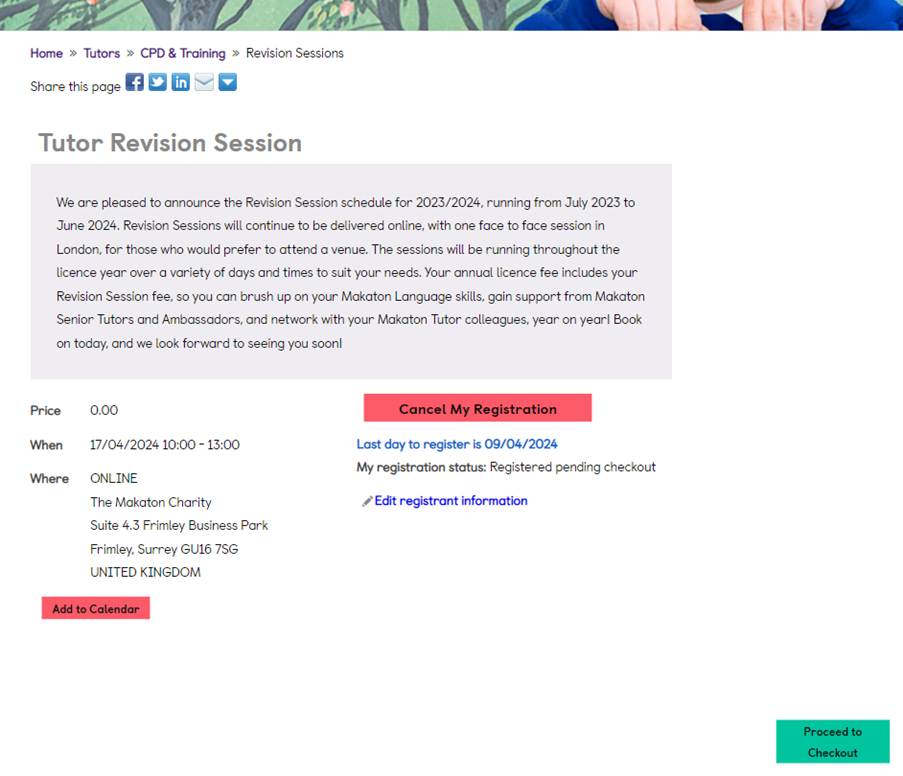
3. The screen should update. Scroll down and click ‘Proceed to Checkout’.
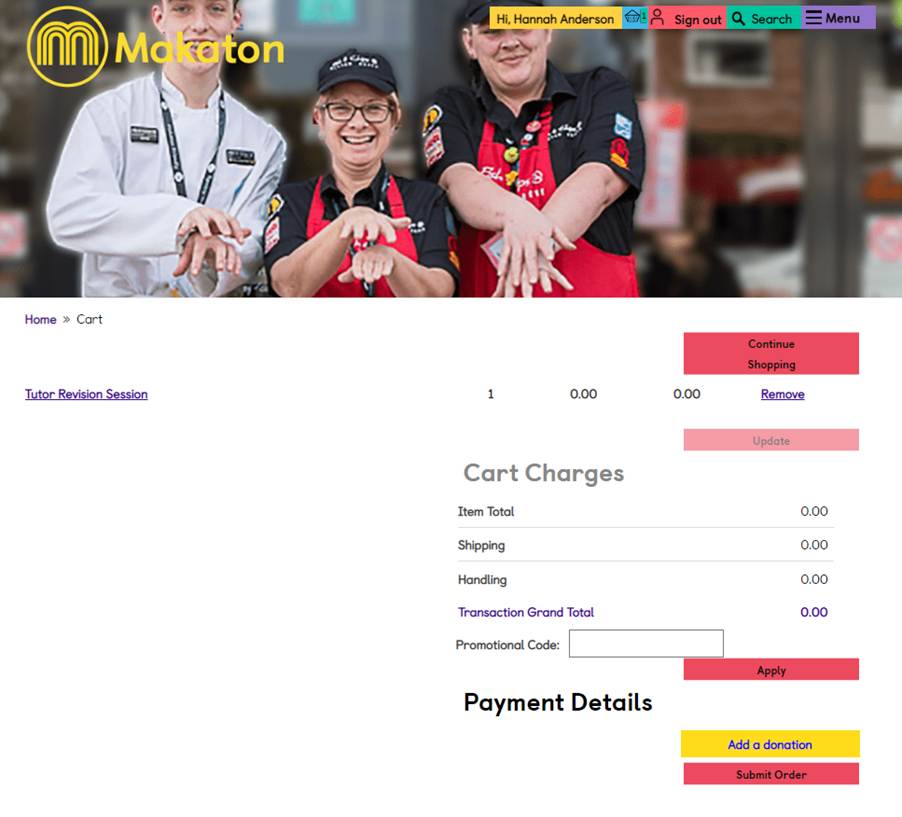
4. You will be taken through to your ‘Cart’. The total should be £0 (free event) and remember to complete your transaction by clicking ‘Submit Order’.
5. The screen will update to confirm your order, and you will receive an email to your preferred email address with the booking confirmation.
6. You will then receive further details of the session around a week before the event. For online sessions this will include the Zoom link.