
To view your Makaton Workshop Evaluation Form submissions, please follow the steps below:
- Log in to your My Makaton account
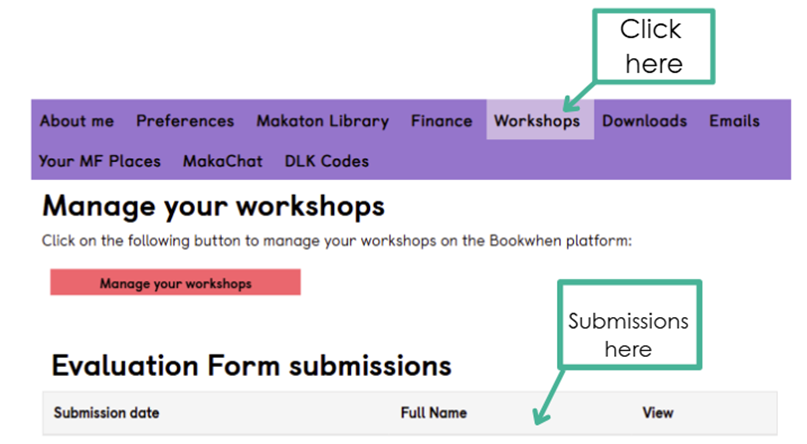
- Once logged in, select the Workshop tab at the bottom of the page
- This will display your Evaluation Form Submissions, which you can open and view
Please see the screenshot below showing where to locate the Workshop tab.
If you’re unable to see the Workshop tab or your evaluation forms, or if you need any further support, please contact us at tutors@makaton.org, and we’ll be happy to help.