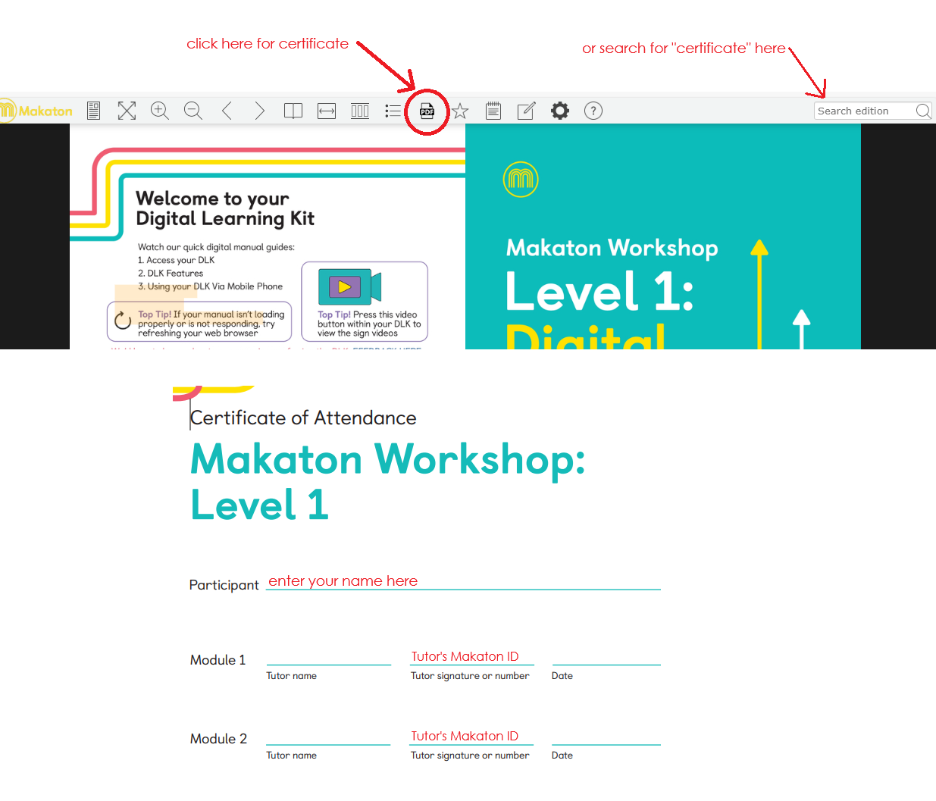
Your Digital Learning Kit (DLK) includes a Certificate of Attendance for you to complete yourself when you have finished the workshop training.
If you open your DLK on a device that has Adobe Acrobat or another PDF editor installed, you can fill in all the details within the DLK and save the completed version there. You can also print this out and/or export it as a PDF file.
If you don't have Adobe Acrobat or another PDF editor, you can print the blank certificate out and complete it by hand.
The screen-grabs below show how to access the certificate. If you don't have your Tutor's ID number, please confirm their name and your workshop date(s) and we can supply that for you.