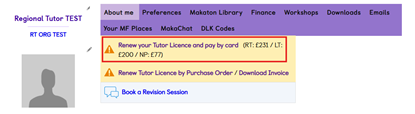
How to renew my Tutor licence, paying by PO or by Card
If payment was made by purchase order, please note that your account will continue to show as “outstanding” until the funds have been received by The Makaton Charity.
To pay by PO please follow the instructions below:
- Log into your Tutor account.
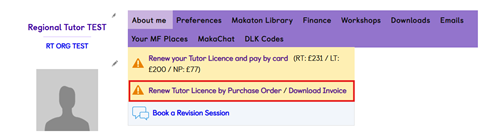
- Click on Renew Tutor Licence by Purchase Order
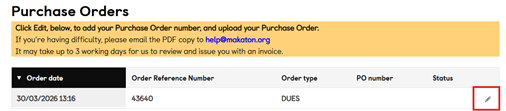
3.The Purchase Order window will open up, the most recent licence invoice will sit at the top of the list- click on the pencil
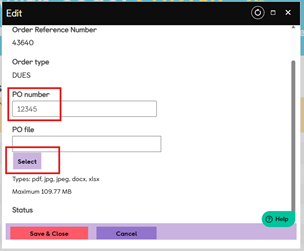
Type in the PO number – this MUST be the same as shown on the Purchase Order , then click on select to locate the PO file to upload. Save & Close.
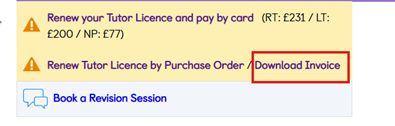
If you wish to download a copy of the invoice go back to your account and click on Download invoice as per screenshot below.
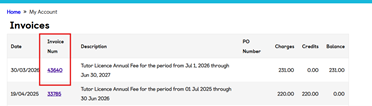
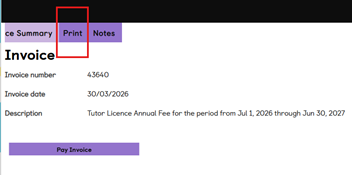
Click on the invoice number you wish to download from the list and then Print. The invoice will be available do download as a PDF document.

If you wish to pay by card please use the link provided or you can log into your account by selecting the option below.